
Tutorial: Push Data Connector
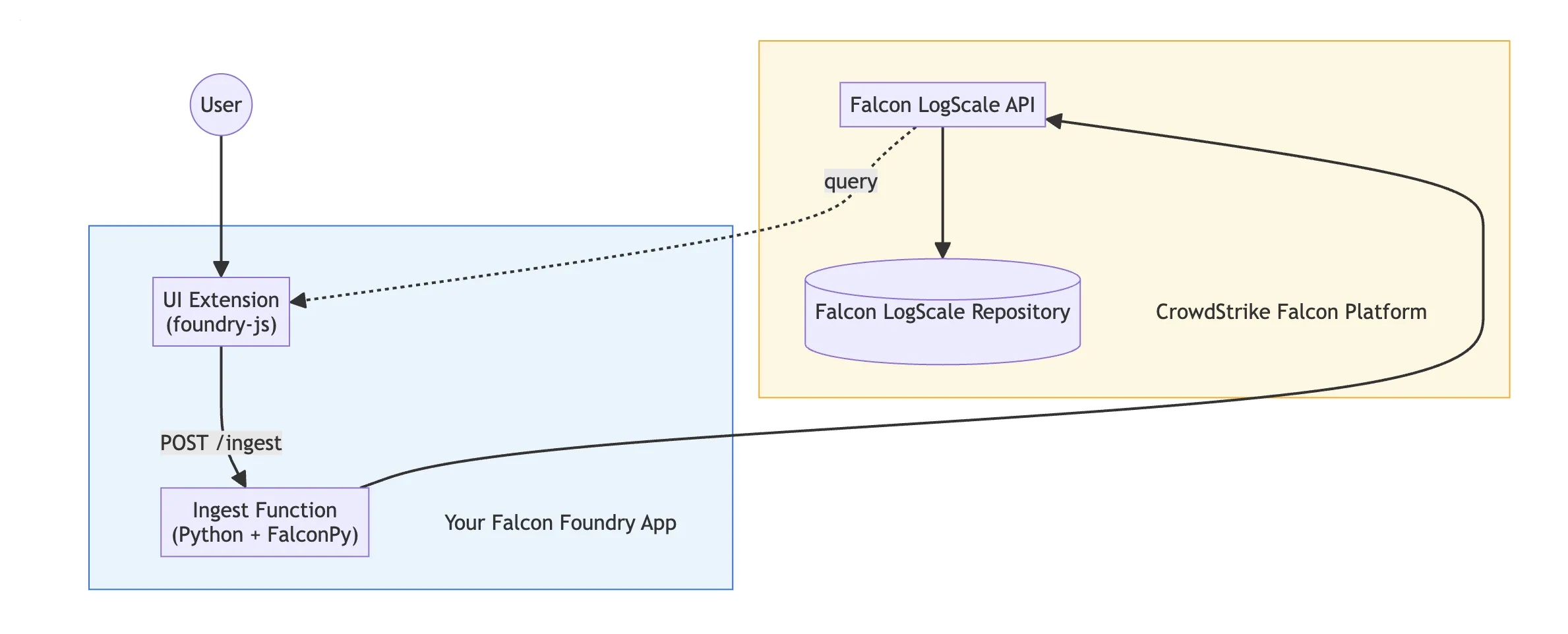
Build a Foundry app that programmatically ingests external security data into a Falcon LogScale repository. This enables searching custom data alongside native Falcon telemetry in Next-Gen SIEM.
What you’ll build
Section titled “What you’ll build”A Foundry app that:
- Defines a Python function to call an external API and transform the data
- Ingests the transformed data into a LogScale repository
- Includes a UI extension for ad-hoc data submission
- Optionally schedules automatic ingestion via a Fusion SOAR workflow
Prerequisites
Section titled “Prerequisites”- Falcon Foundry entitlement
- Falcon Administrator or Foundry App Developer role
- Foundry CLI installed
- Python 3.10–3.12
Step 1: Create the app
Section titled “Step 1: Create the app”foundry apps create --name "Custom Data Connector"Step 2: Create the ingestion function
Section titled “Step 2: Create the ingestion function”foundry functions create --language python --name ingest-dataEdit functions/ingest-data/handler.py:
from falconpy import FoundryLogScale
def handle(request, config):    logscale = FoundryLogScale()
    # Transform input data into LogScale events    events = []    for record in request.body.get("records", []):        events.append({            "event": {                "source": "custom-connector",                "category": record.get("category", "unknown"),                "message": record.get("message", ""),                "severity": record.get("severity", "info"),            }        })
    # Ingest into LogScale    result = logscale.ingest_data(body=events)
    return {        "body": {            "status": "ingested",            "count": len(events),        },        "code": 200,    }
Step 3: Configure API scopes
Section titled “Step 3: Configure API scopes”Add the required scopes to manifest.yml:
auth: scopes: - app-logs:read - app-logs:write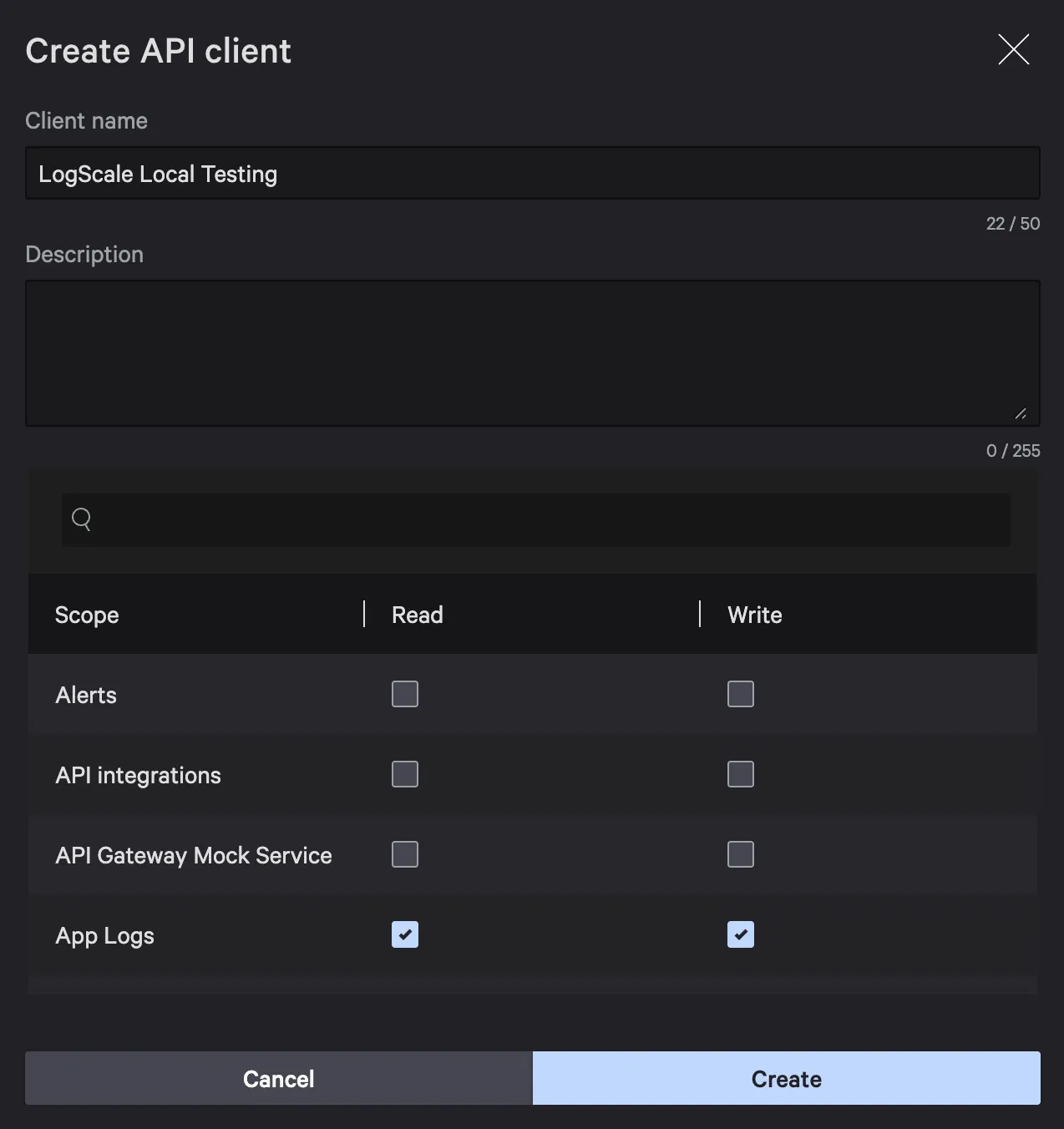
Step 4: Test locally
Section titled “Step 4: Test locally”foundry functions run --name ingest-data --data '{ "body": { "records": [ {"category": "threat-intel", "message": "Test IOC detected", "severity": "high"} ] }}'Step 5: Deploy and verify
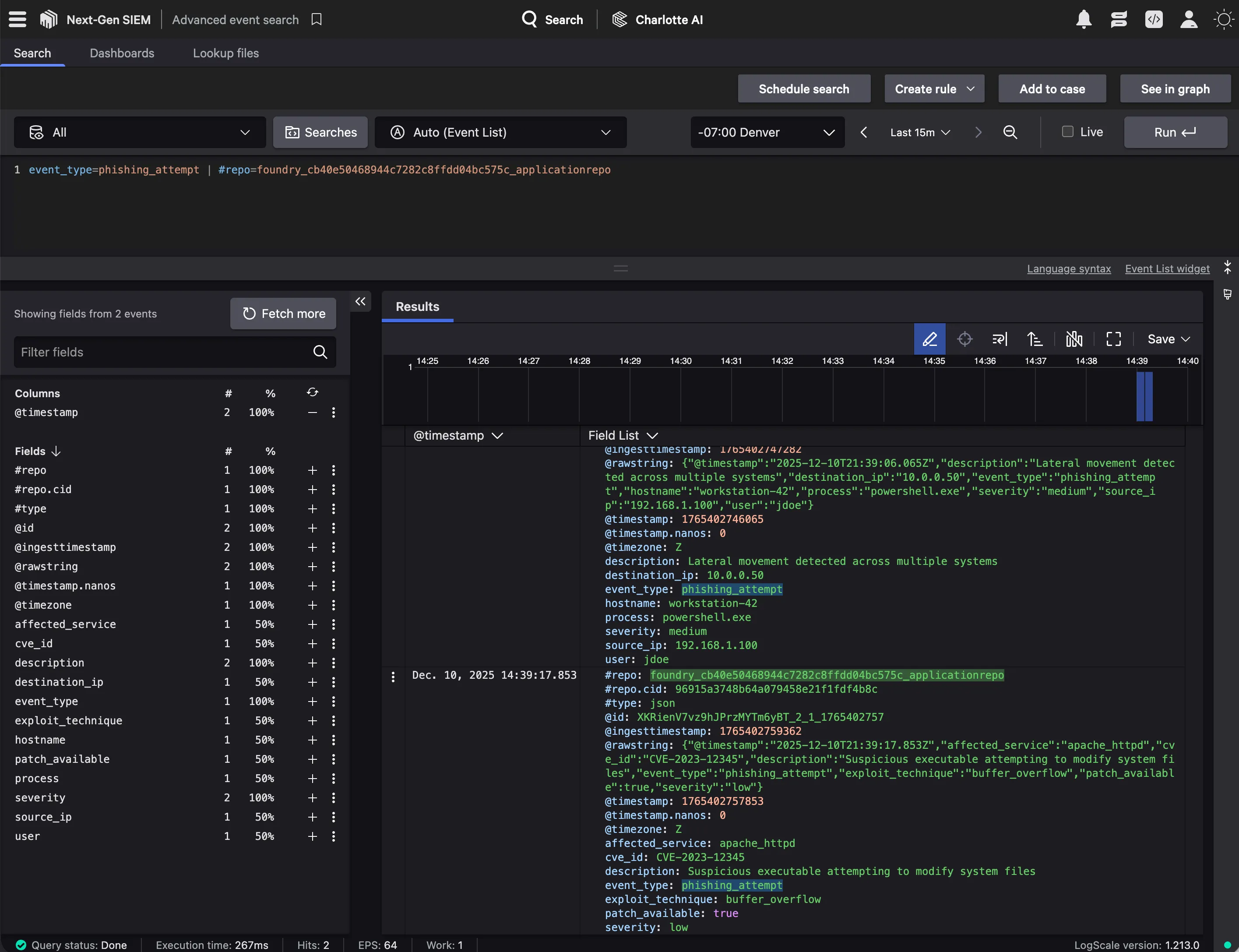
Section titled “Step 5: Deploy and verify”foundry apps deployfoundry apps releaseAfter installation, verify the data appears in Next-Gen SIEM:
- Go to Next-Gen SIEM > Advanced Event Search.
- Query for your ingested events:
source="custom-connector"
Optional: Schedule automatic ingestion
Section titled “Optional: Schedule automatic ingestion”Create a Fusion SOAR workflow that:
- Triggers on a schedule (e.g., every 15 minutes)
- Calls an external API via an API integration or HTTP Action
- Passes the response data to your ingestion function
- The function transforms and ingests the data into LogScale
Next steps
Section titled “Next steps”- Build a dashboard to visualize the ingested data
- Add a collection to track ingestion state and avoid duplicates
- Write a CrowdStrike parser to normalize the ingested data for cross-correlation